How to Fill Your SIWES Logbook as an Architecture Student (With Site & Studio Examples)
Learn how to fill your SIWES logbook as an Architecture student with clear, professional examples from architectural firms and construction sites. Includes Week 1 and Week 2 daily entries, sketch ideas, tools to mention, and a faster way to generate your logbook.

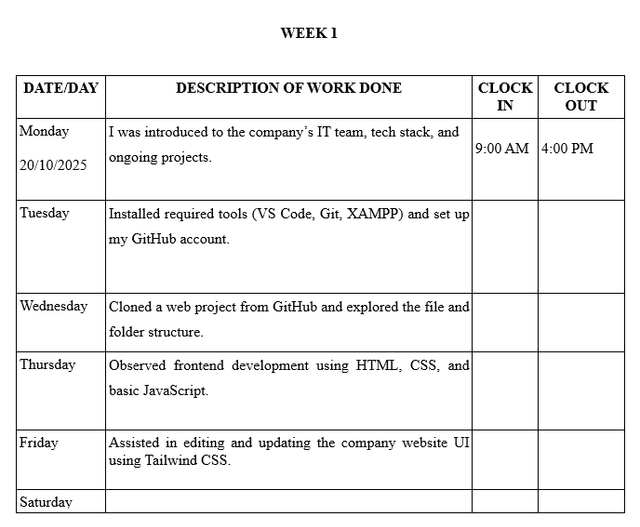
Filling your SIWES logbook as an Architecture student requires more than writing “site work” or “studio drafting.” Your logbook must clearly show your exposure to architectural design, drafting, site supervision, and construction processes.
Whether you are attached to an architectural firm, construction company, or consultancy, this guide shows you exactly what to write each day, with realistic examples accepted by Nigerian universities and polytechnics.
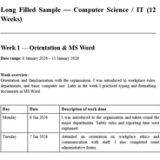
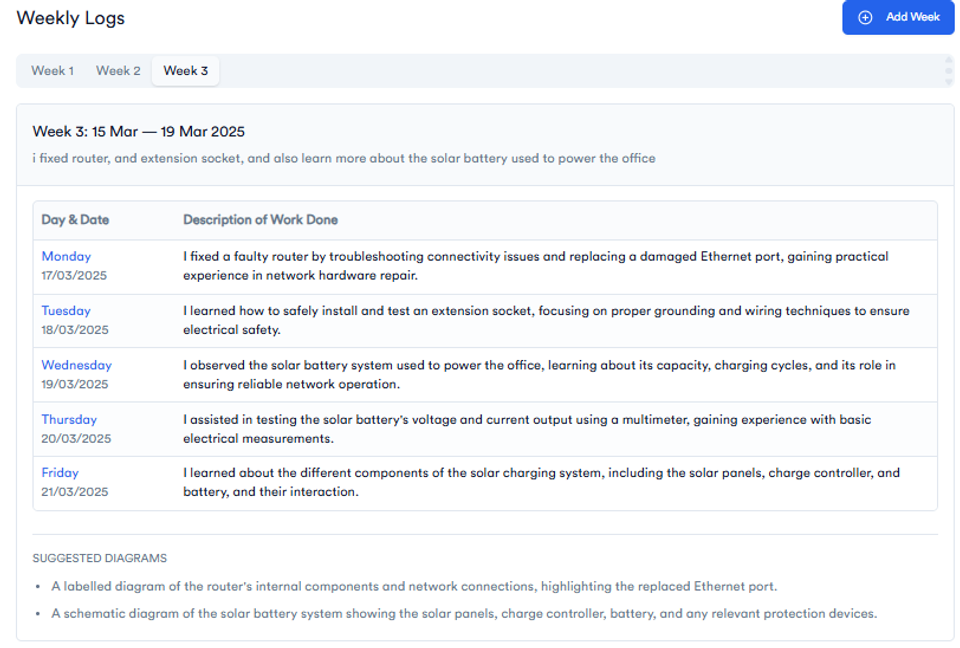
To save time, many Architecture students now use the SIWES Logbook Generator, which turns a short weekly summary into full Monday to Friday entries automatically.
What Is Expected in an Architecture SIWES Logbook?
Your SIWES logbook is assessed to confirm that you gained practical architectural experience, including:
- Architectural drafting and design processes
- Site supervision and construction observation
- Use of architectural tools and software
- Understanding drawings, materials, and building stages
A good Architecture logbook shows learning progression, not repetition.
⚡ SIWES Tools for Students 🔥
Use our free AI-powered tools to make SIWES easier.
SIWES Report Generator — Generate a formatted SIWES report instantly.
https://report.monoed.africa
SIWES Logbook Generator — Create weekly logbook entries in seconds.
https://logbook.monoed.africa
SIWES / IT Placement Finder — Find verified SIWES & IT placement opportunities.
https://siwesfinder.monoed.africa
📙 Final Year Project Tools 🔥
FYP Report Generator — Generate full project chapters and citations.
https://fyp.monoed.africa
Project Topic Generator — Get supervisor-ready project topics instantly.
https://topics.monoed.africa
Reference Verifier — Quickly verify citations by checking authors, year, and DOI before submission.
https://refverify.monoed.africa
How Architecture Students Should Write Logbook Entries
Use professional, learning-focused statements such as:
- “I was introduced to…”
- “Observed the process of…”
- “I assisted in preparing…”
- “I learned how architectural drawings are interpreted on site…”
Avoid vague entries like:
- “Went to site”
- “Did drawing”
- “Office work”
Be specific about what you drew, observed, or assisted with.
Sample SIWES Logbook Entries for Architecture Students
These examples reflect a typical attachment in an architectural firm with site exposure.
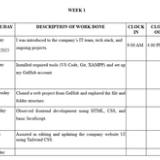
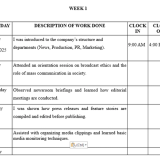
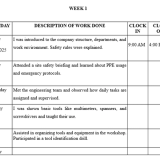
Week 1: Orientation and Office Introduction
| Day | Activities |
|---|---|
| Monday | I resumed at the architectural firm and was introduced to the office structure, staff roles, and code of conduct. |
| Tuesday | I was introduced to architectural drawings such as floor plans, elevations, and sections, and learned their basic symbols. |
| Wednesday | Observed how client briefs are translated into conceptual designs during office discussions. |
| Thursday | Assisted in organizing architectural drawings and project files in both hardcopy and digital formats. |
| Friday | Learned basic drafting rules and title block preparation using AutoCAD. |
| Saturday | No Work |
Week 2: Drafting and Site Exposure
| Day | Activities |
|---|---|
| Monday | Assisted in preparing floor plans and elevations using AutoCAD under supervision. |
| Tuesday | Observed how working drawings are reviewed and corrected before submission to clients. |
| Wednesday | Visited a construction site and observed site clearing and setting-out processes. |
| Thursday | Learned how foundation drawings are interpreted on site and observed reinforcement placement. |
| Friday | Documented site observations and discussed construction challenges with the site architect. |
| Saturday | No Work |
Sample Entries for Architecture Site Work
If your attachment involves frequent site visits, you can write entries like:
- Observed site setting-out using measuring tapes and pegs
- Assisted in supervising blockwork alignment and verticality
- Observed concrete mixing ratios and curing methods
- Learned safety procedures for construction sites
Tools and Software to Mention in Architecture Logbooks
| Tool / Software | Use |
|---|---|
| AutoCAD | Drafting architectural drawings |
| Revit | Building Information Modeling |
| SketchUp | 3D modeling and visualization |
| Drawing Board | Manual drafting |
| T-square and Set Squares | Drawing alignment |
| Measuring Tape | Site measurements |
| PPE | Safety helmet, boots, reflective vest |
What to Draw in the Sketches Section (Very Important)
Architecture students score higher when sketches are included.
Accepted sketch ideas include:
- Simple floor plan layout
- Building elevation view
- Section through a building
- Foundation layout
- Staircase detail
- Site layout showing building position
Keep sketches neat and label major parts.
Common Mistakes Architecture Students Should Avoid
- Writing the same activity every day
- Ignoring site activities in the logbook
- Not mentioning tools or drawings used
- Leaving sketch pages blank
- Forgetting weekly supervisor signatures
Tired of Writing Architecture Logbook Entries Every Week?
Most Architecture students forget daily activities and rush their logbook at the end. That is why many now use the SIWES Logbook Generator.
How it works:
- Enter a short weekly summary like:
“Worked on AutoCAD drafting and observed site foundation work” - Get full Monday to Friday entries instantly
- Copy and paste into your real logbook
- Grammar-checked and Architecture-focused
It works perfectly for Architecture, Engineering, Computer Science, SLT, and all Nigerian departments.
👉 Generate My Architecture SIWES Logbook Now
Wrap Up
Your Architecture SIWES logbook should clearly show:
- What you learned
- How architectural drawings are produced and used
- Your exposure to real construction environments
If you follow this guide or use the Logbook Generator, you will complete your logbook correctly, professionally, and on time.
About the Author
Mohammad-Jamiu B. Balogun, GMNSE
AI Security Researcher · Founder, MonoEd Africa
Mohammad-Jamiu is a First-Class Telecommunications Engineer and Best Graduating Student (BUK), and an AI security researcher. He founded MonoEd Africa to give Nigerian students AI-powered academic tools — from SIWES logbooks to final year projects. His work has reached over 10,000 students across Nigeria.