Filled SIWES Logbook for Computer Science Students (12 Weeks Sample & Free Guide)
Get a complete 12-week filled SIWES logbook for Computer Science students. Includes daily entries from MS Word, Excel, HTML, CSS, hardware, networking, and more. Perfect for ND or BSc students in Nigeria.

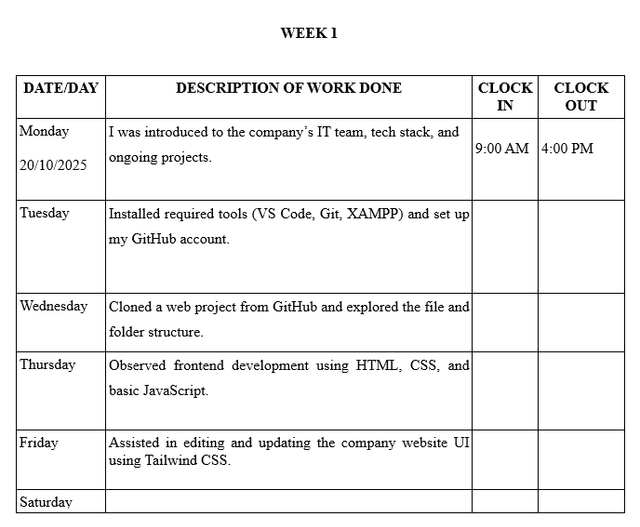
Completing your SIWES logbook as a Computer Science student can be challenging, especially when you want it to reflect your real skills and experience. To help, we’ve created a 12-week sample logbook with Monday-to-Friday entries covering tasks in MS Word, Excel, HTML, CSS, hardware, networking, and more.
You can adapt this sample to fit your actual experiences while keeping it professional and copy-paste-ready.
📥 Want the downloadable files? Get this entire 12-week sample as a free Word and PDF template you can edit and submit — plus a blank weekly format if your school issued an empty logbook.
Download Free SIWES Logbook Template →
Why a Filled SIWES Logbook Matters
Your SIWES logbook is an official record of your industrial training. A well-documented logbook:
- Shows your learning and participation
- Helps boost your SIWES grade
- Serves as a reference for your final report and future job applications
12-Week Filled SIWES Logbook (Daily Entries)
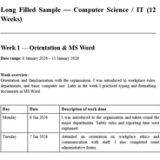
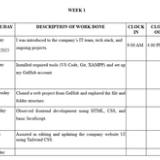
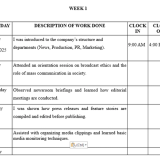
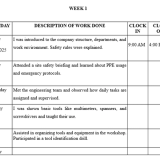
Week 1 – Orientation & MS Word
- Monday: Introduced to the IT department, company policies, and team members.
- Tuesday: Learned workstation setup, company software installation, and file organization.
- Wednesday: Typed letters, formatted documents, and learned to create templates in MS Word.
- Thursday: Assisted in proofreading documents and formatting reports.
- Friday: Compiled weekly tasks, reflected on skills learned, and submitted logbook entries to supervisor.
Week 2 – Excel & Data Management
- Monday: Learned spreadsheet basics, opened company Excel files, and explored data structure.
- Tuesday: Applied formulas, created tables, and used conditional formatting.
- Wednesday: Sorted data, used pivot tables, and prepared charts for presentations.
- Thursday: Assisted in reconciling data and preparing weekly summary reports.
- Friday: Documented weekly activities, focusing on Excel skills acquired.
Week 3 – HTML Basics
- Monday: Introduced to HTML structure, tags, and attributes.
- Tuesday: Built simple web pages with headings, paragraphs, images, and links.
- Wednesday: Practiced creating lists, tables, and forms in HTML.
- Thursday: Learned to link multiple pages and basic navigation design.
- Friday: Documented tasks and reflected on HTML skills learned.
Week 4 – CSS Styling
- Monday: Introduced to CSS, applied inline, internal, and external styles.
- Tuesday: Styled web pages using fonts, colors, and background properties.
- Wednesday: Designed layouts using margins, padding, and borders.
- Thursday: Learned Flexbox basics and responsive design elements.
- Friday: Summarized weekly CSS activities and challenges faced.
Week 5 – Printing & Documentation
- Monday: Operated office printers and scanners, learned paper handling.
- Tuesday: Converted documents to PDF and ensured print quality.
- Wednesday: Assisted in duplicating and organizing company files.
- Thursday: Learned about printing troubleshooting and toner replacement.
- Friday: Compiled weekly report, focusing on document processing skills.
Week 6 – Hardware Maintenance
- Monday: Observed computer hardware components and identified their functions.
- Tuesday: Assisted in RAM installation and basic hardware assembly.
- Wednesday: Performed system checks, cleaned workstations, and fixed minor faults.
- Thursday: Learned about power supply and motherboard connections.
- Friday: Documented hardware maintenance tasks and lessons learned.
Week 7 – Networking Basics
- Monday: Introduced to LAN setup and IP configuration.
- Tuesday: Connected computers to routers and tested connectivity.
- Wednesday: Configured basic networking devices like switches and modems.
- Thursday: Assisted in troubleshooting network issues.
- Friday: Reflected on networking concepts learned and documented activities.
Week 8 – Database Fundamentals
- Monday: Learned database structure, tables, and basic SQL commands.
- Tuesday: Created simple databases and inserted sample data.
- Wednesday: Practiced retrieving data using SELECT queries.
- Thursday: Learned basic data manipulation (UPDATE, DELETE).
- Friday: Compiled weekly activities focusing on database skills.
Week 9 – JavaScript Introduction
- Monday: Introduced to JavaScript basics and variables.
- Tuesday: Wrote simple scripts for form validation.
- Wednesday: Practiced loops, conditions, and functions.
- Thursday: Debugged scripts with mentor assistance.
- Friday: Documented coding exercises and challenges solved.
Week 10 – Software Installation
- Monday: Installed software such as browsers, PDF readers, and office tools.
- Tuesday: Updated antivirus software and operating system patches.
- Wednesday: Learned about software licensing and version control.
- Thursday: Assisted colleagues in installing company-approved software.
- Friday: Compiled weekly software installation and troubleshooting activities.
Week 11 – Office IT Support
- Monday: Assisted in email account setup and troubleshooting.
- Tuesday: Converted files to different formats as requested by staff.
- Wednesday: Learned basic customer support protocols for IT issues.
- Thursday: Helped colleagues resolve minor software errors.
- Friday: Reflected on IT support tasks and documented the weekly summary.
Week 12 – Final Project & Documentation
- Monday: Planned a mini-project to showcase skills learned during SIWES.
- Tuesday: Implemented project features using HTML, CSS, and basic JavaScript.
- Wednesday: Connected project to sample database and ensured functionality.
- Thursday: Prepared a final report documenting project work and weekly summaries.
- Friday: Reviewed all logbook entries, compiled final version, and submitted to supervisor.
How to Customize Your Logbook
- Replace tasks/tools with what you actually did.
- Add reflections on challenges and learning outcomes.
- Include supervisor’s signature each week.
- Optionally add sketches or screenshots for hardware/network tasks.
Tips to Make Your SIWES Logbook Stand Out
- Be honest: write only what you did and learned.
- Be specific: include tools, software, and outcomes.
- Update consistently: log entries weekly instead of at the last minute.
- Use proper English and professional tone.
- Highlight skills and results for each task.
- Add diagrams or sketches where necessary.
⚡ Generate Your Logbook Instantly with AI
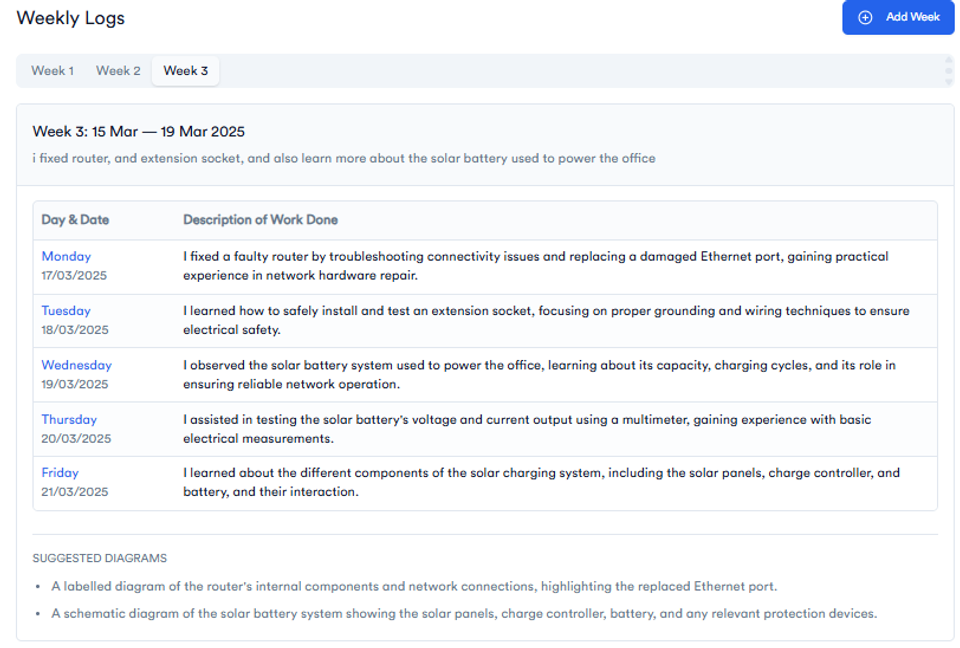
Writing every entry from scratch can be hard — that’s why we created the SIWES Logbook Generator.
Just type a quick summary of what you did this week — and the SIWES Logbook Generator will turn it into complete, well-written entries for Monday to Friday.
✅ Saves you hours of writing
✅ Helps you stop procrastinating
✅ Fully tailored for Computer Science students
✅ Just copy and paste into your logbook!
🎓 Used by 1,000+ Nigerian students.
👉 Try It Free – Generate My Logbook Now
Conclusion
This 12-week daily entry SIWES logbook provides a realistic, structured template for Computer Science students.
- Save time writing your logbook
- Get inspiration for professional entries
- Ensure your logbook aligns with school requirements
Keep it real, consistent, and professional. Your supervisor and school will appreciate the effort.
About the Author
Mohammad-Jamiu B. Balogun, GMNSE
AI Security Researcher · Founder, MonoEd Africa
Mohammad-Jamiu is a First-Class Telecommunications Engineer and Best Graduating Student, BUK '24, and an AI security researcher. He founded MonoEd Africa to give Nigerian students AI-powered academic tools — from SIWES logbooks to final year projects. His work has reached over 10,000 students across Nigeria.