Best AI Tools for Final Year Project Writing in Nigeria (2026 Guide)
Compare 13 AI and research tools for final year projects, covering literature review, writing, source code, citations, data analysis and editing.

Writing a final year project involves several tasks: choosing a topic, finding literature, developing a method, analysing evidence, writing chapters and preparing for defence. Computing students may also need to build and test a working application.
The most useful tool depends on which task you need help with.
This guide covers 13 AI and supporting research tools for Nigerian final year students, explaining their uses, limitations and how to combine them into a practical workflow.
You do not need all 13. Choose tools that fit your project, budget and department’s requirements.
Disclosure: MonoEd publishes this guide and develops some of the products included. The tools are grouped by use case rather than a comparative performance ranking.
Quick Comparison: Which Tool Fits Your Task?
| Task | Tools to consider | What to check |
|---|---|---|
| Explore project topics | MonoEd Project Topic Generator | Feasibility and departmental requirements |
| Discover and compare papers | Elicit, Consensus | Original sources and relevance |
| Investigate citation context | Scite | The actual citation statement |
| Explore related literature | ResearchRabbit | Coverage of your search |
| Structure report drafts | MonoEd FYP Report Generator | Consistency with your methods and evidence |
| Understand concepts and review ideas | ChatGPT or Gemini | Accuracy of explanations |
| Build a supported software project | MonoEd Project Source Code | Scope, implementation and test results |
| Organise citations | Zotero | Imported reference details |
| Check reference details | MonoEd RefVerify | Source details and support for claims |
| Improve wording | WordWise, QuillBot | Meaning and attribution |
| Proofread language | Grammarly | Technical accuracy after edits |
Not every tool listed is an AI product. Reference managers and other research tools can support the same workflow without generating text.
Features, pricing and usage limits can change. Check the provider’s current details before subscribing.
Tools for Topic Selection and Literature Review
1. MonoEd Project Topic Generator
Best for: Exploring topics and developing an initial research direction.
The MonoEd Project Topic Generator helps students explore ideas to discuss with their supervisors.
Use the suggestions to investigate possible problems, objectives and project boundaries.
Before selecting a topic, ask:
- Does it address a clear problem?
- Can I access the necessary data or equipment?
- Is the scope realistic for my deadline?
- Can I evaluate the outcome?
- Does it meet my department’s requirements?
Limitation: A generated topic is not automatically unique or approved. Confirm its feasibility and suitability before committing.
For a practical checklist, read How to Choose a Computer Science Project Topic in Nigeria.
2. Elicit
Best for: Finding papers and comparing information across studies.
Elicit supports academic paper discovery and literature-review work.
It can help you identify potentially relevant studies and examine information such as research methods and findings.
For example, a student investigating social media use and academic performance could use it to find papers for closer reading.
Limitation: Extracted information can be incomplete or inaccurate. Check the original paper, particularly its research design, participants, findings and limitations.
3. Consensus
Best for: Exploring questions through scientific literature.
Consensus is an AI-powered academic search platform that helps users find and synthesise research.
Use it to explore a question and identify the papers behind an answer.
Limitation: A summary does not establish that all research agrees. Read the underlying studies and consider conflicting findings, methodological differences and relevance to your setting.
4. Scite
Best for: Examining how later publications discuss a study.
Scite provides citation statements and classifies citation contexts as supporting, contrasting or mentioning.
This can help you investigate an important claim and find literature discussing it.
Limitation: Citation classifications are not definitive judgements about whether a paper is correct. Read the citation context and relevant studies before drawing conclusions.
5. ResearchRabbit
Best for: Discovering related papers and exploring research connections.
ResearchRabbit helps users explore relationships between academic publications.
It can be useful after you have found several relevant papers and want to investigate connected work.
Limitation: Related-paper recommendations do not guarantee a complete literature search. Record your search terms, selection criteria and reasons for including studies.
Tools for Chapter Writing and Explanations
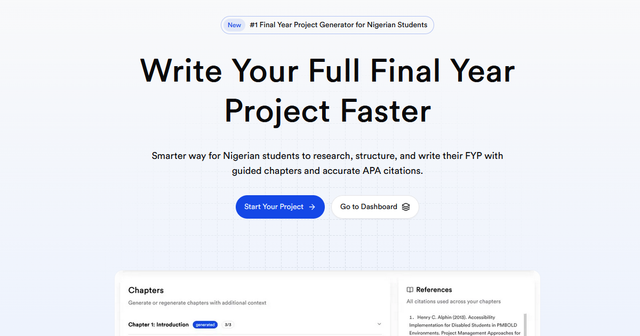
6. MonoEd FYP Report Generator
Best for: Organising project information and developing structured report drafts.
The MonoEd FYP Report Generator supports project-report drafting and work with academic citations.
Provide accurate information about your topic, objectives, methods and evidence. Then review the draft against your department’s requirements.
Check that:
- The chapter structure is appropriate.
- The methodology describes what you actually did.
- Sources exist and support the claims.
- Results come from your data or implementation.
- Conclusions follow from the evidence.
For software projects, the report should describe the application you can demonstrate. Do not include features, interviews or successful tests that never happened.
Limitation: Drafting assistance still requires factual checking, academic judgement and appropriate disclosure.
7. ChatGPT or Gemini
Best for: Explanations, brainstorming and feedback on material you can verify.
General AI assistants can support smaller tasks throughout a project, subject to your institution’s rules.
Useful requests include:
Review these objectives and identify any that are too broad or difficult to evaluate.
Explain this research concept using a simple example.
Review this paragraph for clarity without changing its claims or citations.
Explain this function so I can check my understanding of the code.
Give enough context and inspect the answer rather than accepting it automatically.
Limitation: Assistants can produce incorrect explanations, references, calculations and code. Their responses do not replace the original evidence supporting your research.
Tools for Building a Software Project
8. MonoEd Project Source Code
Best for: Students whose approved computing project requires a working application.
MonoEd Project Source Code builds systems around students’ topics, with software options in Python or PHP.
You review the proposed plan before payment. The package includes:
- Project source code.
- Setup instructions.
- A guide explaining the system.
- Screenshots.
- Project-specific defence questions.
It can be relevant to supported attendance systems, booking applications, examination systems, record systems and administrative workflows.
Explore the Student Clearance Management System example to see how users, features and records connect.
Limitation: Confirm that your required scope and technologies are supported. Not every mobile, blockchain, hardware or advanced AI project fits the platform.
How Source Code and Report Writing Fit Together
For a software project, you need a working system and an accurate explanation of that system.
Project Source Code supports the implementation component. The FYP Report Generator supports report drafting.
Keep them consistent:
- Diagrams should match the implemented architecture and database.
- Feature descriptions should match application behaviour.
- Screenshots should come from your build.
- Test results should reflect observed outcomes.
- Limitations should identify unfinished or simulated functions.
Install the application, study its code and repeat important tests. Follow your department’s rules on assistance and disclosure.
For documentation guidance, see Chapter Three and Chapter Four.
Tools for Citations and Reference Checks
9. Zotero
Best for: Organising sources and managing citations.
Zotero is a reference manager that helps you collect source records, organise research materials, insert citations and generate bibliographies.
It is useful when working with many papers, whether or not you use AI.
Limitation: Imported details may contain errors. Check author names, titles, publication dates and other metadata. Correct formatting does not establish that a source supports your statement.
10. MonoEd RefVerify
Best for: Supporting reference-detail checks.
MonoEd RefVerify can support checks on bibliographic information.
When reviewing a reference, ask:
- Does the source exist with these publication details?
- Does its content support the claim attached to it?
Check the original publication record and relevant passage.
Limitation: Finding a valid DOI or reference record does not establish the paper’s quality or its relevance to your argument.
Tools for Editing and Proofreading
11. WordWise
Best for: Improving wording and shortening drafts.
MonoEd WordWise can support paraphrasing and editing.
Use it to clarify a passage you understand, reduce repetition or shorten an explanation.
Limitation: Compare revisions with the original. Important qualifications, technical details and citations can be altered or lost during rewriting.
When meeting a word limit, remove repetition before removing necessary methods or evidence.
12. QuillBot
Best for: Exploring alternative sentence structures.
QuillBot can help you consider different ways to express a passage.
Use it after understanding the material, and check that the revised wording preserves the intended meaning.
Limitation: Paraphrasing does not remove attribution requirements. QuillBot’s own guidance explains that paraphrased material can still require a citation.
13. Grammarly
Best for: Grammar, spelling, punctuation and clarity.
Grammarly provides writing suggestions that can support proofreading.
Review suggestions individually, especially around technical terms, quotations and carefully qualified findings.
Limitation: Correct grammar does not establish that a method, reference or conclusion is accurate.
What About Data Analysis?
Choose the analysis according to your research questions and data before selecting software.
Common options include:
- SPSS: Statistical data management and analysis.
- Excel: Data organisation, calculations and charts.
- Python: Programmable data preparation, analysis and modelling.
These are analysis tools, not interchangeable research methods or automatically AI products.
AI assistance may help explain terminology, formulas or scripts. Verify the procedure and results using your actual dataset.
For software projects, evaluation may instead involve functional tests, usability tasks or performance measurements.
Never generate participant responses, experimental outcomes or software test results to fill gaps in the report.
A Practical Workflow for Your Final Year Project
1. Confirm the Requirements
Read your handbook and discuss the topic, deliverables and permitted assistance with your supervisor.
2. Define a Feasible Topic
Use suggestions to explore possibilities. Check the problem, scope, resources and evaluation needs before committing.
3. Find, Read and Organise Sources
Use discovery tools to locate literature. Read the relevant sections and record methods, findings, limitations and accurate reference details.
4. Conduct the Research or Build the System
Follow the approved approach. Keep records of data collection, analysis, design decisions, development and testing.
5. Draft From Your Evidence
Use writing support to organise and explain the work. Ensure the methods, results and conclusions reflect what actually happened.
6. Verify and Edit
Check references, calculations, tables, diagrams and implementation claims before polishing the language and formatting.
7. Prepare for Defence
Practise explaining the problem, decisions, outcomes and limitations. For software projects, rehearse a complete workflow and trace it through the code.
Use the Project Defence Questions and Answers guide to prepare.
Using AI Without Misrepresenting Your Work
Follow your institution’s rules on permitted assistance and disclosure.
Before submission:
- Verify sources: Confirm that references exist and support the relevant claims.
- Preserve attribution: Rewording does not remove the need to cite borrowed ideas.
- Report real work: Describe activities and outcomes that actually occurred.
- Protect information: Obtain appropriate permission before uploading confidential material.
- Check code and calculations: Understand the procedures and verify their outputs.
- Keep evidence: Retain drafts, notes, data and relevant development records.
A similarity report identifies matching text. It does not certify originality or academic acceptability.
Address missing attribution and inappropriate copying directly rather than using rewriting tools to conceal them.
Read How to Avoid Plagiarism in Your Final Year Project for further guidance.
Frequently Asked Questions (FAQs)
Which tool should I start with?
Start with your main difficulty. Literature discovery, report drafting, software development and editing require different capabilities.
Is AI allowed for final year projects in Nigeria?
Rules vary by institution, department and assessment. Check the guidance applying to your project and clarify uncertain uses with your supervisor.
Can I complete a project using only a chatbot?
A chatbot can support some tasks, but generated text does not establish that research, implementation or evaluation took place. Your submission still needs appropriate evidence.
Are these tools free?
Some offer free access or limited features; others require payment. Check current pricing and limits before subscribing.
Can a tool guarantee supervisor approval?
No. Approval depends on departmental requirements, feasibility and the quality of the proposed work.
Do I need all 13 tools?
No. Choose a small set that addresses your needs. Several overlapping subscriptions do not automatically improve your project.
About the Author
Mohammad-Jamiu B. Balogun, GMNSE
AI Security Researcher · Founder, MonoEd Africa
Mohammad-Jamiu is a First-Class Telecommunications Engineer and Best Graduating Student, BUK '24, and an AI security researcher. He founded MonoEd Africa to give Nigerian students AI-powered academic tools — from SIWES logbooks to final year projects. His work has reached over 10,000 students across Nigeria.