NOUN TMA Guide (2026): How to Log In, Submit TMA 1 to 3 and Check Your Scores
How NOUN TMAs work: logging in to the TMA portal (elearn.nou.edu.ng), submitting TMA 1, 2 and 3, checking your grades, and why TMAs make up 30% of your score.

Quick summary:
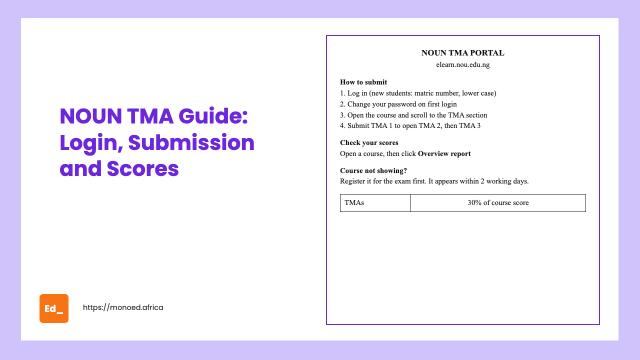
NOUN TMAs (Tutor-Marked Assignments) are done on the e-learn portal at elearn.nou.edu.ng. New students log in with their matriculation number (in lower case) as both username and password, then change the password. Each registered course has TMA 1, TMA 2 and TMA 3, and you must submit TMA 1 before TMA 2 opens. TMAs make up 30% of your course score, so never skip them. Your courses only appear on the TMA portal after you register them for the exam.
TMAs are the easiest marks you can earn at NOUN, and the easiest to lose. They count for 30% of every course, and many students fail courses only because they missed their TMAs or did them at the last minute when the portal was busy.
This guide follows NOUN's official FAQ.
What is a TMA in NOUN?
TMA means Tutor-Marked Assignment. It is NOUN's continuous assessment. NOUN's assessment policy says TMAs make up 30% of your course score, and the exam makes up the other 70%. Question types can include multiple choice, essays, quizzes, portfolios, practicals and presentations, depending on the course.
How to log in to the NOUN TMA portal
- Go to elearn.nou.edu.ng.
- New students: your username and password are both your matriculation number, in lower case (for example,
nou20xxxxxxx). - Returning students: use the same login details as last semester.
- On your first login, change your password: enter the old one (your matric number), then your new password twice.
- Check that your email, programme and Study Centre are correct, then click Save.
"User not recognised"?
NOUN's FAQ says your e-learn portal becomes accessible once facilitation and TMAs begin, and about two working days after you complete your exam registration. If it still fails after that, raise a ticket at support.nou.edu.ng.
Why your courses are not showing on the TMA portal
Courses appear on the TMA portal only if you have registered them for the exam. NOUN's FAQ says registered courses show up within two working days.
To register courses for the exam: log in to your student portal, click Courses, choose Register courses for exam, and select each course. Keep your email active, as NOUN sends a token during registration.
How to submit your TMAs
- Log in to the TMA portal.
- Open the course.
- Scroll down to the TMA section.
- You will see TMA 1, TMA 2 and TMA 3. Click TMA 1 and attempt it.
- Submit TMA 1. TMA 2 only opens after you submit TMA 1, and TMA 3 after TMA 2.
Repeat this for every registered course.
How to check your TMA scores
- Log in at elearn.nou.edu.ng.
- Open any course.
- On the left, click the icon that looks like an open book to see that course's grades.
- To see all your TMA scores at once, open any course and click Overview report.
NOUN's assessment policy says TMA scores should show on your portal within minutes, as marking is automated.
Discussion forums
Some courses also have weekly discussion forum questions. Open the course, read the Academic Integrity form to the end, then open each week to answer the forum question. NOUN's FAQ says your forum response must be submitted according to your geopolitical zone. Some courses, such as GST302, score forum participation.
Tips so you never lose TMA marks
- Do TMAs early. The portal gets slow near the deadline.
- Read the course unit before each TMA. Questions follow the course material.
- Use a laptop if you can, and a stable internet connection.
- Check that every TMA is recorded using the Overview report.
- Raise a ticket quickly if a course is missing or a score does not appear.
How TMAs affect your result
Your final course score is TMA (out of 30) plus exam (out of 70). Undergraduates need 40% to pass (50% for nursing).
Example: 26/30 in TMAs means you need only 14 out of 70 in the exam to pass. A student who skips TMAs needs 40 out of 70 in the exam, which is much harder.
If your result shows incomplete, a TMA or exam score is missing. Raise an e-ticket at support.nou.edu.ng.
For exam tips, see how to pass NOUN e-exams and POP exams. To see how TMAs feed into your CGPA, try our free NOUN CGPA calculator.
More for NOUN students
- How to pass NOUN e-exams and POP exams
- How NOUN calculates your GPA and CGPA
- GST302 business plan sample
- NOUN SIWES guide: portal, logbook and report
- NOUN project topics by faculty
- NOUN CGPA calculator (free)
FAQs
What is the NOUN TMA portal?
The e-learn portal at elearn.nou.edu.ng, where you take TMAs, join discussion forums and see your TMA scores.
What is the NOUN TMA portal password?
For new students, the username and password are both your matriculation number in lower case. You must change the password on first login. Returning students use their existing password.
How many TMAs does NOUN have per course?
Three: TMA 1, TMA 2 and TMA 3. You must submit each one to open the next.
How much is TMA in NOUN?
TMAs count for 30% of each course score. The exam counts for 70%.
Why are my courses not showing on the TMA portal?
You need to register the courses for the exam. They appear on the TMA portal within about two working days.
Can I do NOUN TMA on my phone?
Many students do, but a laptop and a stable connection reduce the risk of errors during submission.
About the Author
Mohammad-Jamiu B. Balogun, GMNSE
Founder & Product Architect, MonoEd Africa
Mohammad-Jamiu is a First-Class Telecommunications Engineer and Best Graduating Student of Bayero University, Kano (Class of 2024), and the founder of MonoEd Africa. An AI engineer and product architect, he designs and builds MonoEd's guided workflows for SIWES logbooks and reports, final year projects and academic tools such as the GPA calculator, helping students produce better work and build the skills the AI era demands. MonoEd's tools have reached more than 20,000 students across Nigeria.