SIWES Report for Statistics Students: What to Write and How to Structure It
Statistics students: how to turn a SIWES full of spreadsheets and surveys into a good report, with the software to mention and a sample.

Statistics students sometimes find the SIWES report harder than engineers do, because the work looks quiet. Months in front of spreadsheets, forms and reports can feel like nothing to write about. It's still real work, and a good report shows it clearly.
Here's how to organise it. Follow your department's format first and rename sections if your school asks for different headings.
What makes a Statistics report different
- Explain the question behind the data. Say what the organisation wanted to know, for example "which branch had the highest customer complaints".
- Show the process. Collection, cleaning, analysis and presentation. Each step is a skill.
- Name your software and methods. For example "frequency tables and charts in Excel" or "descriptive statistics in SPSS".
- Do not include confidential data. Use general descriptions or hide sensitive details. Ask your supervisor if you are not sure.
- Show what the results meant. A number alone is not enough. Say what decision it helped with.
Where Statistics students usually train
- Banks and insurance companies
- Government agencies and statistics offices
- Health facilities and research units
- Telecom and consumer goods companies
- Market research and survey firms
- Universities and research institutes
- Schools and NGOs
- Oil and gas, manufacturing and logistics companies
Use the SIWES Finder to look for places that need data and analysis skills.
Tasks you can write about
Data collection
- Designing or helping to design questionnaires
- Conducting surveys or entering field data
- Sampling and data capture
Data preparation
- Data entry and checking for errors
- Cleaning data: missing values, duplicates, wrong entries
- Coding and organising data in spreadsheets or databases
Analysis
- Descriptive statistics (mean, median, percentages, frequency tables)
- Charts and graphs
- Correlation, regression, chi-square or t-tests if used
- Trend and forecasting analysis
- Quality control charts
Reporting
- Preparing weekly or monthly reports
- Dashboards in Excel or Power BI
- Presenting findings to staff
- Writing short summaries of results
Support
- Record keeping and filing
- Helping with budgeting, inventory or sales reports
Chapter by chapter
Chapter One: Introduction
Background of SIWES, aims and objectives, and scope. Keep it short. See how to write SIWES Chapter One.
Chapter Two: Profile of the organisation
History, what the organisation does, structure, departments and an organogram. Mark the unit you were attached to. See the organogram guide.
Chapter Three: Work done
Group by activity. For example:
- Orientation and data handling rules
- Data collection and entry
- Data cleaning and organisation
- Data analysis
- Reports and presentations
Example (fictional, for style only):
In the fifth week, I was given sales records from twelve branches and asked to find out which products were selling least. I first cleaned the data by removing duplicate rows and correcting wrongly spelt product names. I then used a pivot table in Excel to total the sales by product and by branch, and drew a bar chart to show the lowest five products. I presented the table and chart to my supervisor, who used them in a weekly meeting. I learned that clean data is the most important step before any analysis.
Chapter Four: Equipment and tools used
Explain each tool in three or four sentences. Examples:
- Microsoft Excel (pivot tables, formulas, charts)
- SPSS, R, Python, Stata or Minitab (only those you used)
- Power BI or Google Sheets
- Survey tools (Google Forms, KoBoToolbox, ODK)
- Database systems (such as MySQL or Access), if used
- Computer, printer, scanner
Say how you used each, for example "I used SPSS to produce frequency tables and cross-tabulations from the survey data."
Chapter Five: Summary, problems and recommendations
Summarise your training. Mention problems such as poor data quality, limited software access or short deadlines, and how you handled them. Then give a conclusion and recommendations.
See the SIWES technical report format guide for the general layout.
Common mistakes
- Saying "I analysed data" without details. Give the data type, the method and the purpose.
- No mention of software.
- Showing confidential figures.
- Listing tools without explaining them.
- Copying a classmate's report.
- Mixing Chapter Three and Four.
Start from a draft, not a blank page
A draft is easier to edit than an empty page. The MonoEd SIWES Report Generator writes one from a short description of your tasks, in your school's format, and the first two chapters are free to preview. The SIWES Logbook covers your weekly entries.
Planning your project? See how to analyse questionnaire data with SPSS and SPSS vs Excel vs Python.
Frequently Asked Questions (FAQs)
What should a Statistics SIWES report contain?
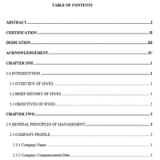
A cover page, certification, acknowledgement, abstract or overview, table of contents, and chapters on introduction, company profile, work done, equipment used, and summary with recommendations. Check whether your school uses four or five chapters.
What if my work was mostly data entry?
Write it honestly, but add detail: how many records, what checks you did, what errors you found, what tools you used and how you confirmed accuracy.
Can I include charts and tables?
Yes, if they don't expose confidential information. Label each one and explain it in words.
Which software should I mention?
Only what you really used, such as Excel, SPSS, R, Python or Stata, and what you used it for.
Do I need to include formulas or code?
Short examples are fine in the body, and longer ones can go in an appendix. Don't copy company code without permission.
About the Author
Mohammad-Jamiu B. Balogun, GMNSE
AI Security Researcher · Founder, MonoEd Africa
Mohammad-Jamiu is a First-Class Telecommunications Engineer and Best Graduating Student, BUK '24, and an AI security researcher. He founded MonoEd Africa to give Nigerian students AI-powered academic tools — from SIWES logbooks to final year projects. His work has reached over 10,000 students across Nigeria.